Track spending in ten seconds a day.
Log expenses, income and transfers with a calculator keypad, 45 ready categories and a daily list with totals. Export to CSV, Excel or PDF anytime.
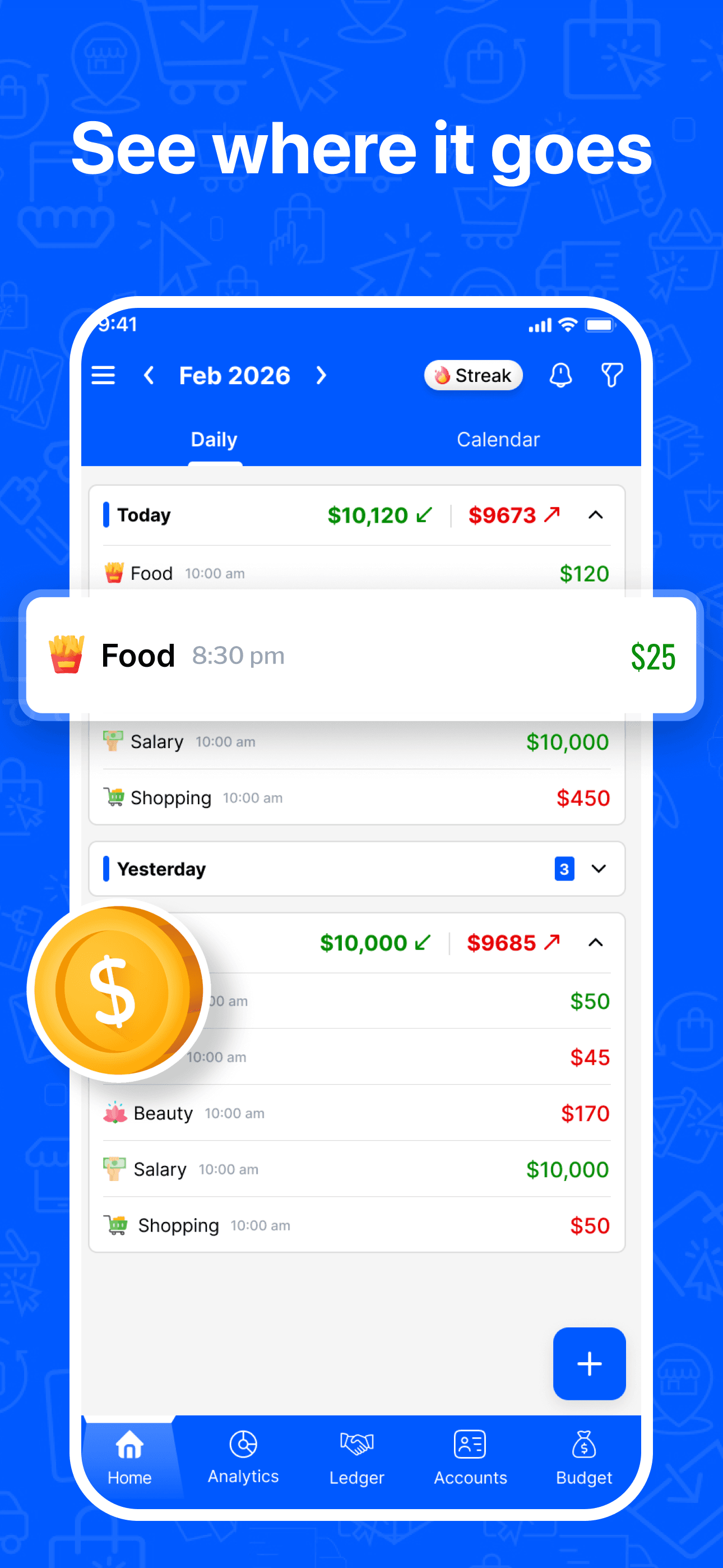
Money Manager is an expense tracker that records what you spend, where, and when. Each transaction has an amount, a category, an account, a date and an optional note or photo. The Daily view groups them by day with income and expense totals, and the Calendar view shows the same month at a glance.
45 expense categories, 5 income
Food, Fuel, Transportation, Rent and Mortgage, Bills and Utilities, Health and more. Add your own from 13 icon groups.
A keypad that does math
Type 12.40+3.99 and the amount resolves. Split a grocery run without leaving the field.
123 currencies
Pick your currency once, or per account. Switch between US and European number formats in settings.
Forty-five categories, ready on day one.
The same icons on web and phone. Disable the ones you never use, reorder the rest, and add your own.
Expense
24 of 45 shown
 Food
Food Fuel
Fuel Shopping
 Transportation
 Entertainment
 Health
 Housing
 Rent & Mortgage
 Bills & Utilities
 Clothing
 Education
 Travel
 Pet
Pet Child
Child Fitness
 Beauty
 Car
Car Gift
Gift Electronic
 Finance
 Parking
 Telephone
 Social
 Music
Music
Income
 Salary
 Investments
 Awards
- +Custom
How expense tracker works in practice.
Four ways in, one list out
Type it, snap a receipt, upload a bank statement, or link your bank. Whatever the source, every transaction lands in the same daily list with the same category, so your month reads as one story.
The daily list is the product
Each day shows its own income and spending total above the rows. Scan a week and the expensive days jump out. Open a month and the summary card shows income, expense and balance before you scroll.
- Filter by type, account, date range and amount
- Search any note, merchant or category
- Attach a photo of the receipt to any transaction
Your data leaves when you want it to
Export transactions as CSV, Excel or PDF from settings, with a preview before the file is generated. Exports are free and unlimited.
Getting started
Tap the plus button
Choose Expense, Income or Transfer.
Enter the amount
Use the keypad, including plus and minus if you are splitting a receipt.
Pick a category and account
Search the category list or pick from the twelve you use most. Choose which account it came from.
Save
The transaction appears in today's group with the day total updated. If the category has a budget, the bar moves.
Questions about expense tracker
More in the full FAQ.
Free on web, iPhone and Android.
Set up takes under two minutes. Your data syncs everywhere you sign in.